How to cut bad takes and retakes automatically
The trick is not getting the take right. It is recording in a way that makes the wrong parts easy for software to find.
Updated
Most people record talking-head video the way a film set does: roll, fluff a line, stop, reset, roll again. You end up with nine files, a vague memory of which one was good, and twenty minutes of playback before a single cut gets made.
The alternative is to never stop rolling. Fluff the line, take a beat, say it again, keep going. The result is one long messy file that looks worse and edits dramatically faster — because every mistake is now sitting next to its own correction, which is exactly the pattern a model can spot.
The workflow
- 01
Record without stopping
When you fluff a line, do not stop the camera and do not start a new clip. Pause for a beat, then say the sentence again from the top. The beat gives the edit a clean boundary and the repeat gives it something to compare against.
- 02
Import the whole take
Bring the single long clip into a Primecut project. Long, messy takes are the input this workflow is designed for — three clean-ish takes in three files is the harder case, not the easier one.
- 03
Let the retake pass run
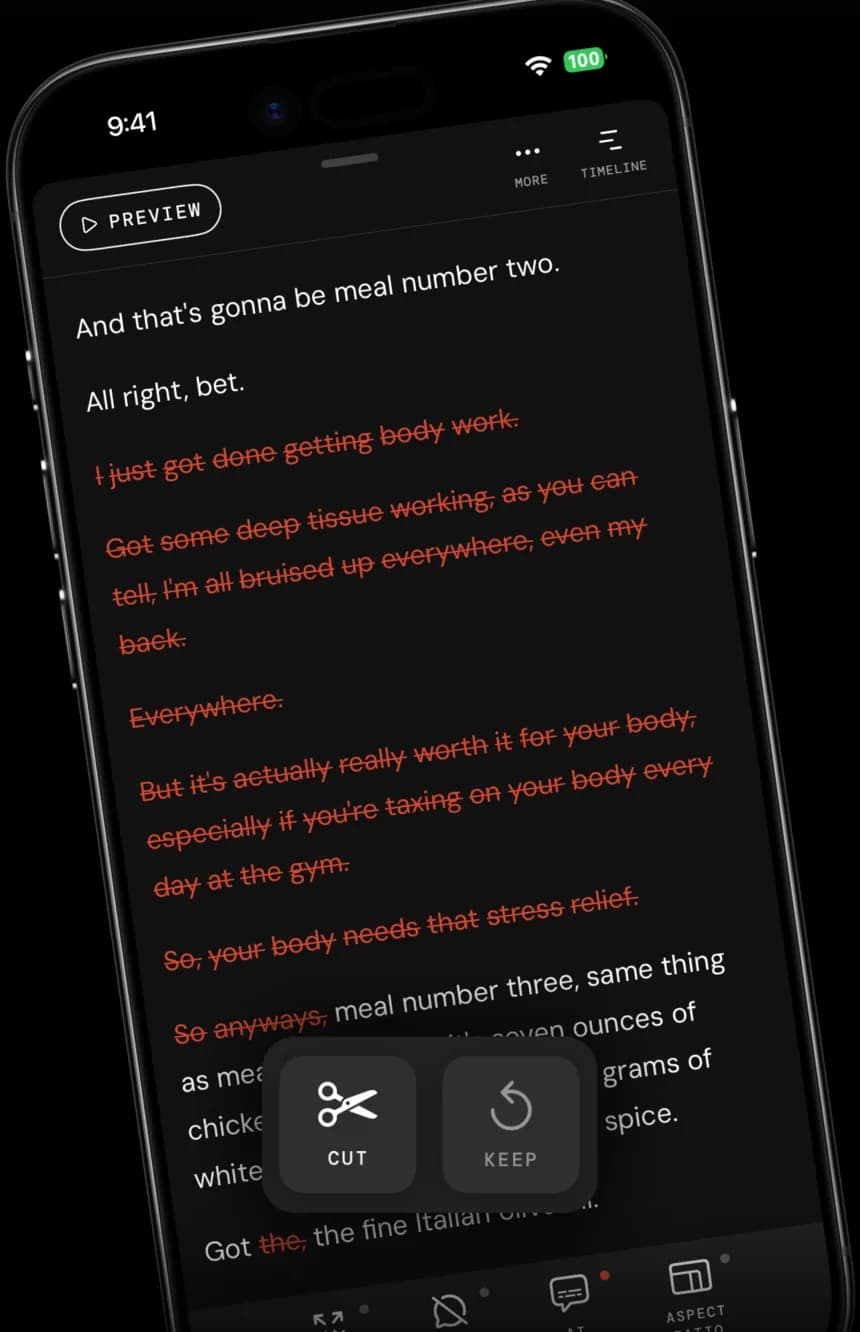
Primecut transcribes the take and looks for sentences that repeat. When it finds a line delivered more than once, it keeps the last delivery and strikes the earlier attempts through in red.
- 04
Check the keeper
The last take is usually the best one, but not always — sometimes attempt two had the energy and attempt three was tired. Tap to restore the version you want and strike out the one it chose.
- 05
Clean up and export
The same pass removes silences and filler words, so what is left is the tight version of the take. Export vertical for Reels and Shorts, or 16:9 for YouTube, from the same project.
Recording habits that make the edit better
- Restart at the top of the sentence, not mid-phrase. “So the second thing is—” then “So the second thing is…” matches cleanly. Restarting three words in does not.
- Leave a beat of silence between attempts. It gives the cut somewhere to land and it costs you nothing — the silence pass removes it anyway.
- Do not narrate the mistake. “Ugh, sorry, let me do that again” becomes another line to cut by hand.
- Keep the framing static while you retake. Matching attempts cut together invisibly; if you moved the phone between them, the join will show.
Questions
How does it know which take is the good one?
It assumes the last complete delivery of a repeated line is the keeper, because that is how people actually work: you say it again because the previous attempt was wrong. It is a default, not a judgement — the earlier attempts are hidden rather than deleted, so putting one back is a tap.
What if I paraphrase instead of repeating word for word?
Detection is strongest when the second attempt is close to the first. If you rephrase heavily, the pass may treat both as separate content and keep them; cut the loser by selecting the text and cutting it, which takes a couple of seconds.
Are the removed takes gone for good?
No. The timeline is non-destructive: cut segments are hidden, not deleted, and the source file is never modified. You can restore anything until you are happy, and export as many versions as you like.