CapCut vs Primecut for talking-head video
These two apps are not really competitors. One is a full editing toolbox; the other refuses to be one, and that refusal is the point.
Updated
CapCut is the default mobile editor for a reason: it is free, it is good, and it has an answer for nearly anything you might want to do to a video. If your clip needs a trending template, a transition on the beat and a licensed sound, this comparison has an easy winner and it is not Primecut.
The case for a narrower tool starts when the video is just a person talking. Then almost none of that toolbox is relevant, and the actual work is dull: find the pauses, find the ums, find the three attempts at the same sentence, cut them out without making the audio sound stitched.
| Primecut | CapCut | |
|---|---|---|
| What it is | A single-purpose editor for talking-head video. | A general-purpose mobile editor: timeline, effects, templates, music, transitions. |
| Default path to a finished clip | Import, one cleanup pass, review the marks, export. | Import, then assemble it yourself — with plenty of tools to do it well. |
| Repeated takes | Detected as a first-class pass; the last delivery is kept automatically. | Not a built-in pass — you find and cut the bad takes yourself. |
| Filler words and silences | Part of the same automatic pass, reviewed as struck-through words. | Available through the captions/transcript tools. |
| Effects, templates, music library | None. Deliberately. | Extensive, and a large template ecosystem. |
| Teleprompter | Built into the recorder, feeding the same project. | Not part of the editor. |
| Price | Free tier, then $59.99 per year, or $9.99 per month. | Free tier; Pro is $19.99/month or $179.99/year, and in-app purchase prices run higher. |
| Made by | FeatherHop, LLC — a small US company. | ByteDance. |
The difference is the default, not the feature list
CapCut can identify filler words in a transcript, and deleting transcript text removes the matching video. So this is not a “they can’t do it” comparison. It is a question of what the app does when you open it.
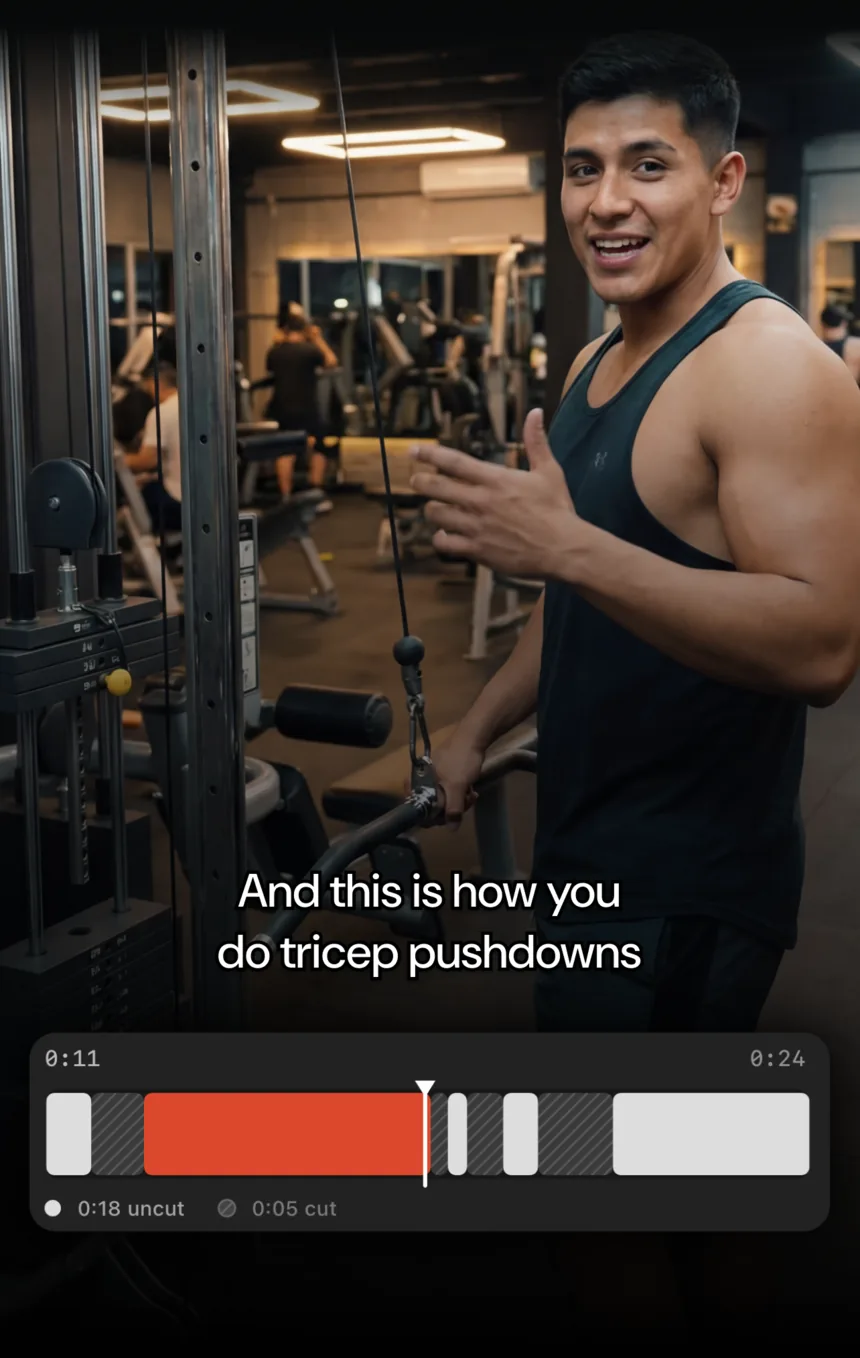
Primecut opens a take with the cuts already proposed: silences trimmed, filler words struck through, and every sentence you delivered more than once reduced to its final attempt. Your job is to disagree with a few of them. In a general editor, the same result exists at the end of a sequence of choices you have to make yourself, every time.
Where CapCut is clearly the better buy
- B-roll, overlays, multi-clip sequences and transitions.
- Trending templates and the sound library.
- Any edit whose appeal is the effects rather than the words.
- Editing on Android, on desktop, or on the web.
Where Primecut is
- One long messy take with retakes in the middle of it.
- Scripted delivery — the teleprompter and the editor are one app.
- Publishing today, on the phone, without moving files between apps.
- $59.99 a year, with no AI credit packs on top.
Questions
Can CapCut do transcript-based editing too?
Yes. CapCut has transcript and caption tools that can identify filler words, and deleting text removes the matching video. The difference is not capability, it is default: in CapCut those tools are features inside a general editor you drive; in Primecut the cleanup pass is the workflow, and the repeated-take detection has no direct CapCut equivalent.
Which is better for TikTok-style edits?
CapCut, comfortably, if the video's appeal is effects, trending templates, transitions or licensed music. Primecut has none of that on purpose. Where Primecut wins is the unglamorous middle of a talking video — the part where somebody says the same sentence three times.
Can I use both?
That is a sensible pattern: cut the take down in Primecut, export, then add effects or a trending sound in CapCut. Primecut exports standard video files at up to 4K on Pro.
Is CapCut free?
There is a capable free tier, with a paid Pro tier for the premium features. Primecut's free tier is limited by processing minutes and puts a watermark on exports, but does not lock the editing features themselves.