Cut the words.
The video cuts itself.
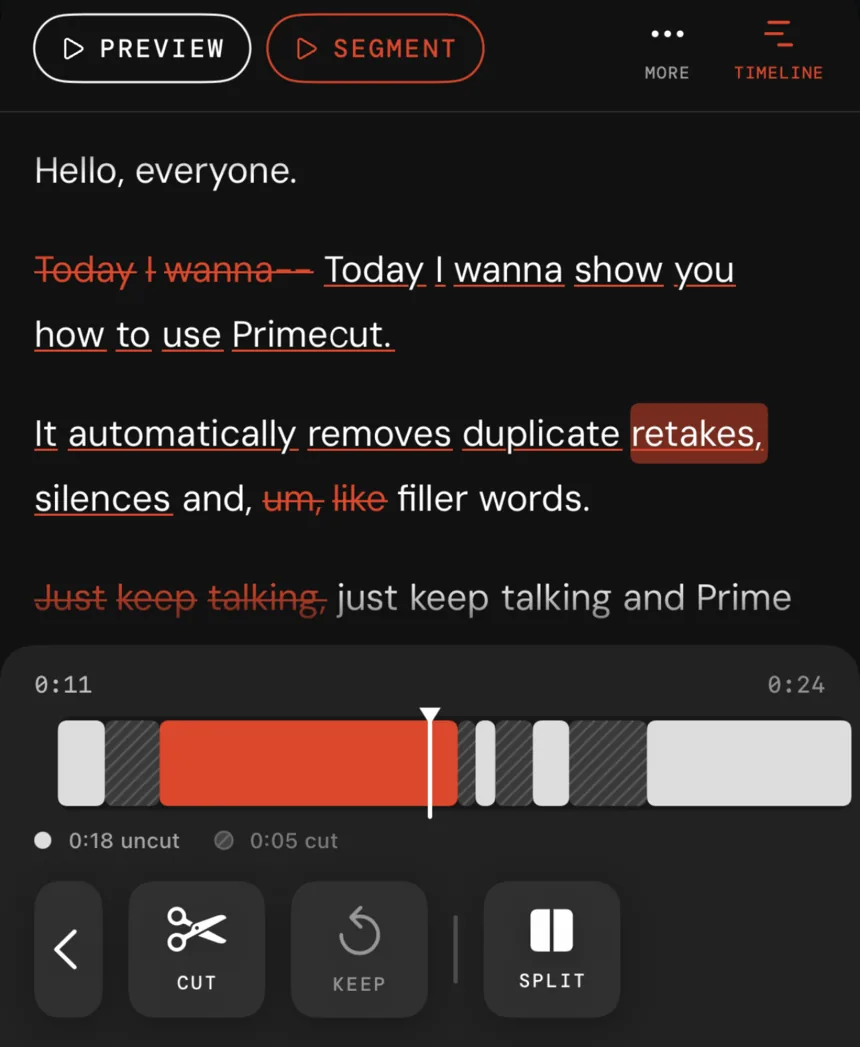
Primecut transcribes your footage, then edits it like a document: delete a sentence and the matching video disappears. Silences, filler words and repeated takes go automatically — on the phone you shot it on.
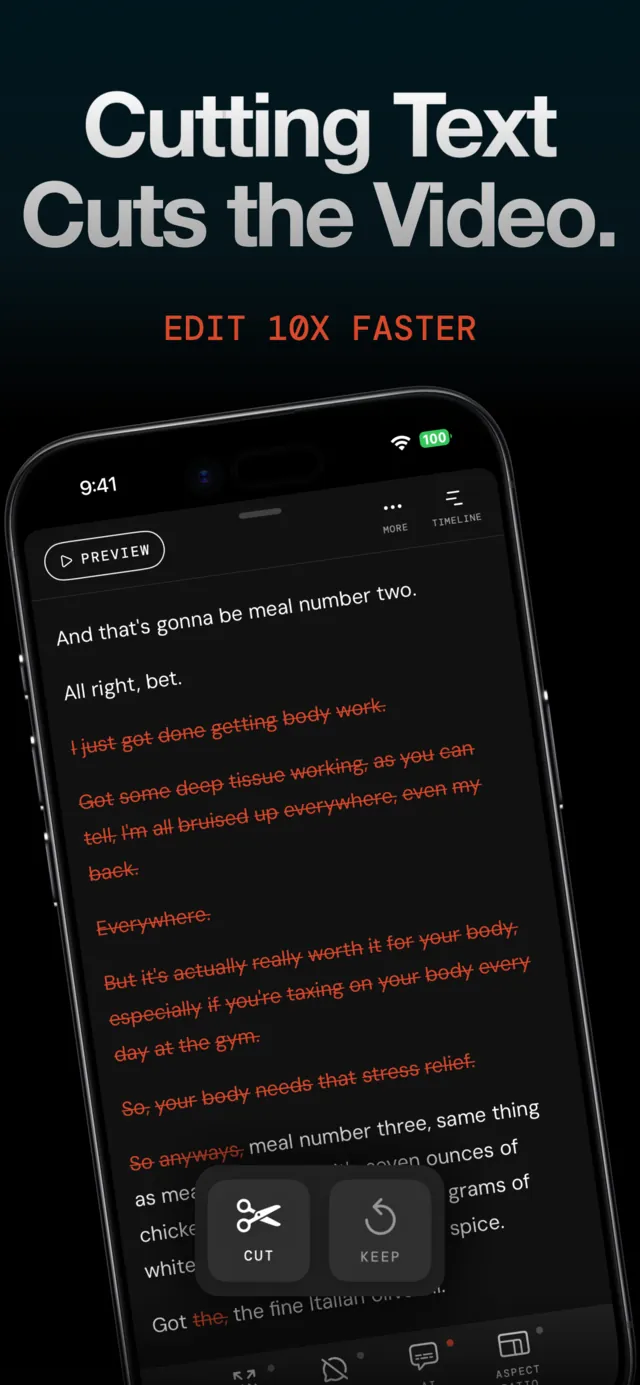

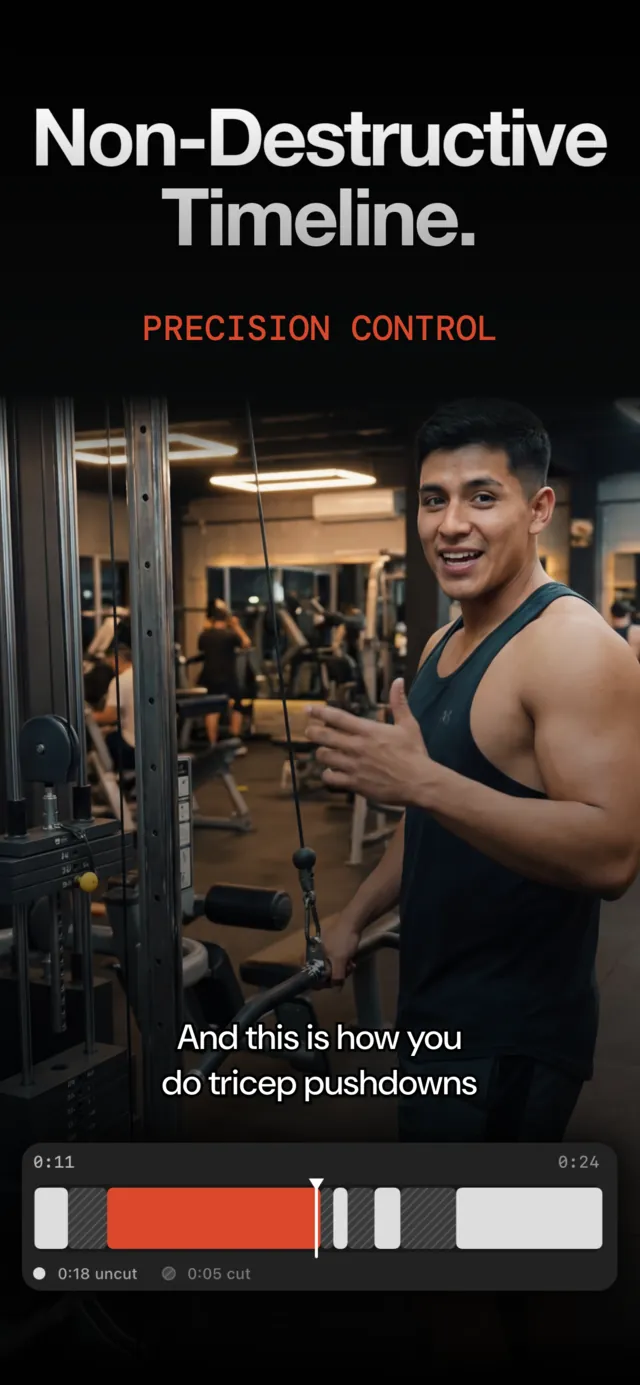
Editing is deleting a sentence
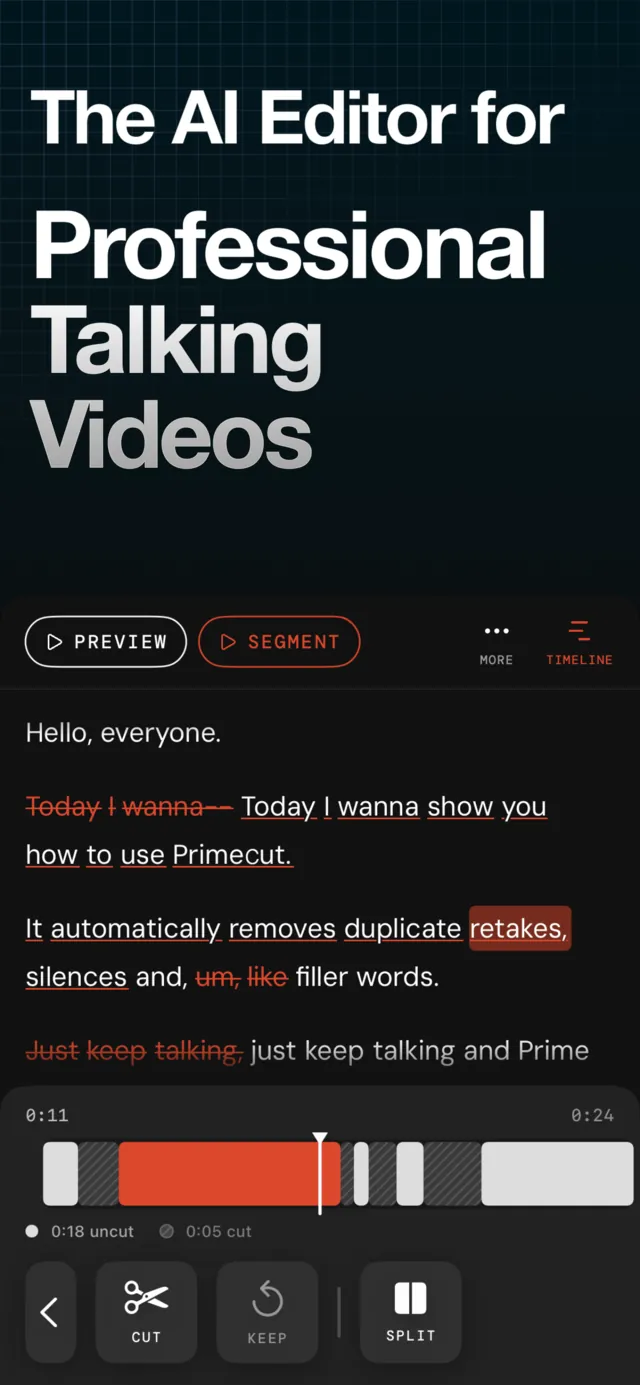
Primecut transcribes your take word by word. Strike a line out of the transcript and that piece of video is gone; tap it again and it is back. No scrubbing, no keyframes, no timeline scrubbing to find the moment you fluffed.
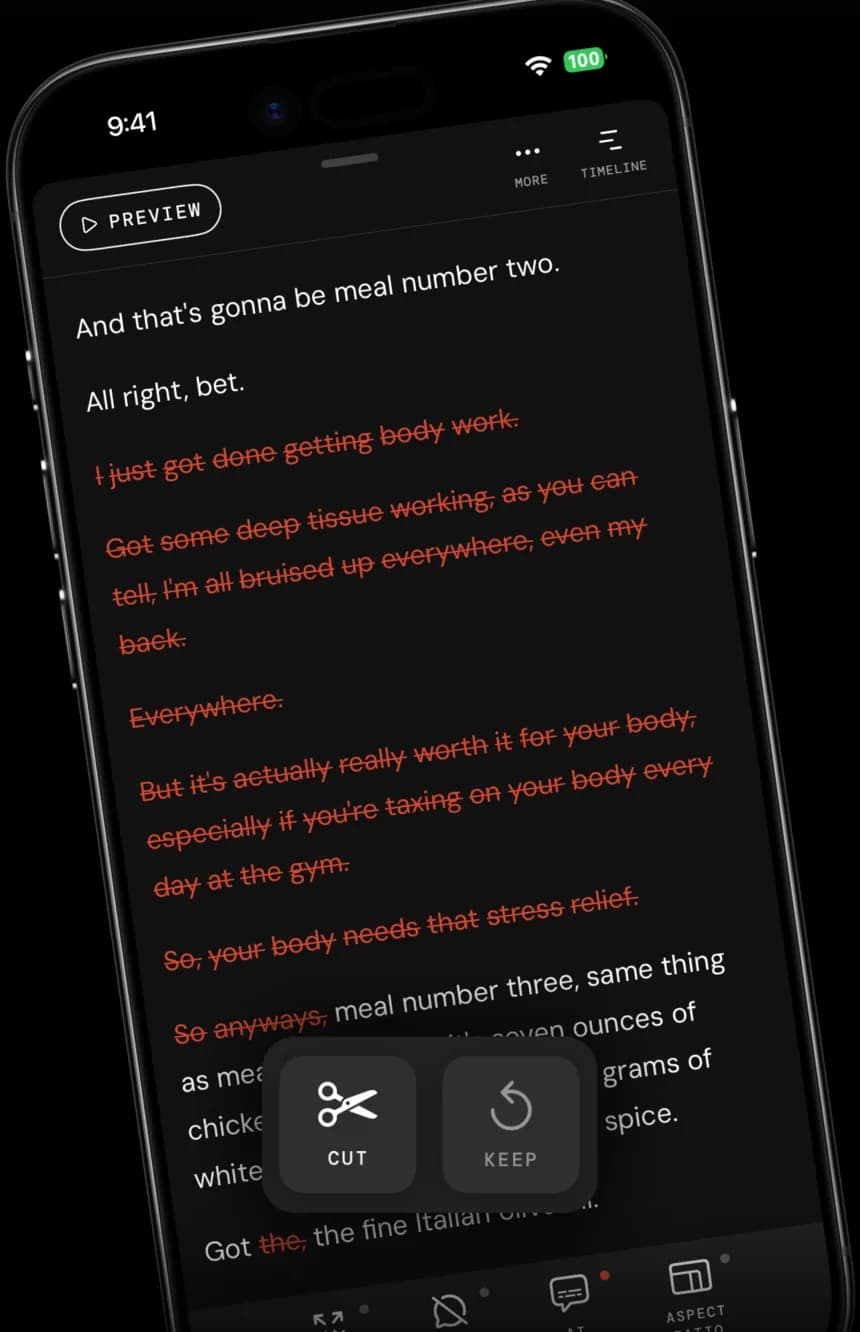
Silences, ums and second attempts, gone
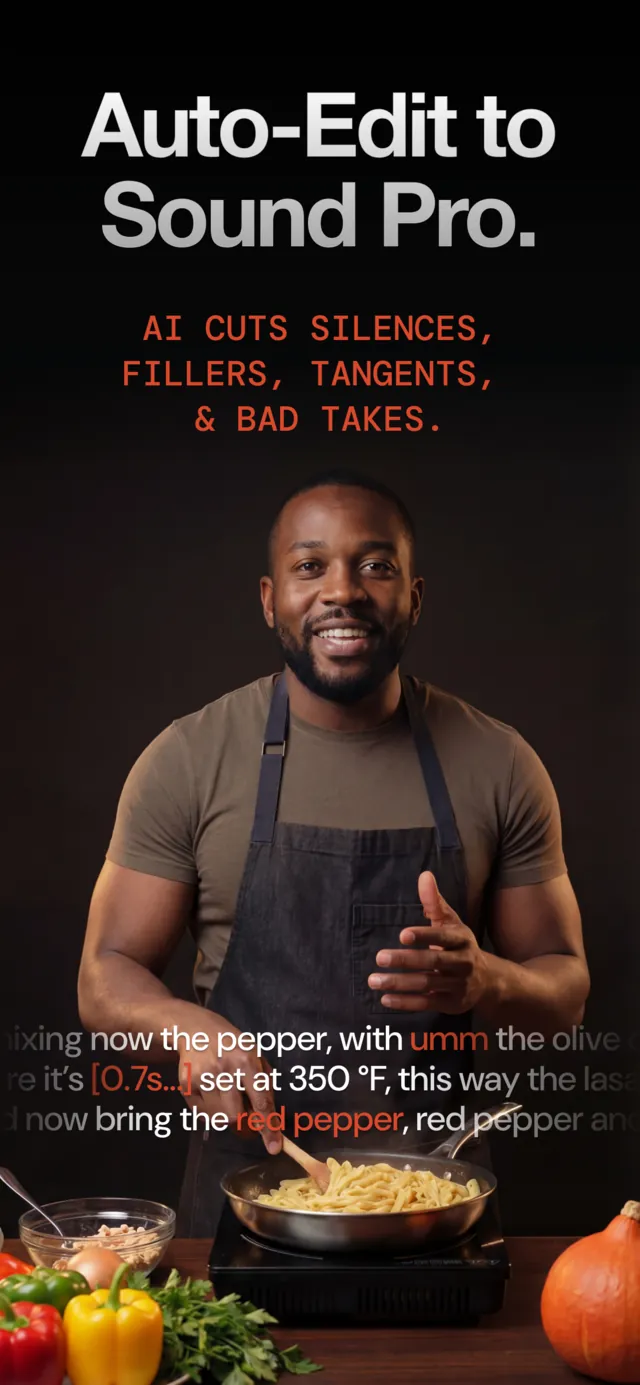
One pass finds dead air, filler words and the sentences you said twice. When you repeat a line three times, Primecut assumes the last one was the keeper and hides the rest. You review the marks, you keep what you want.

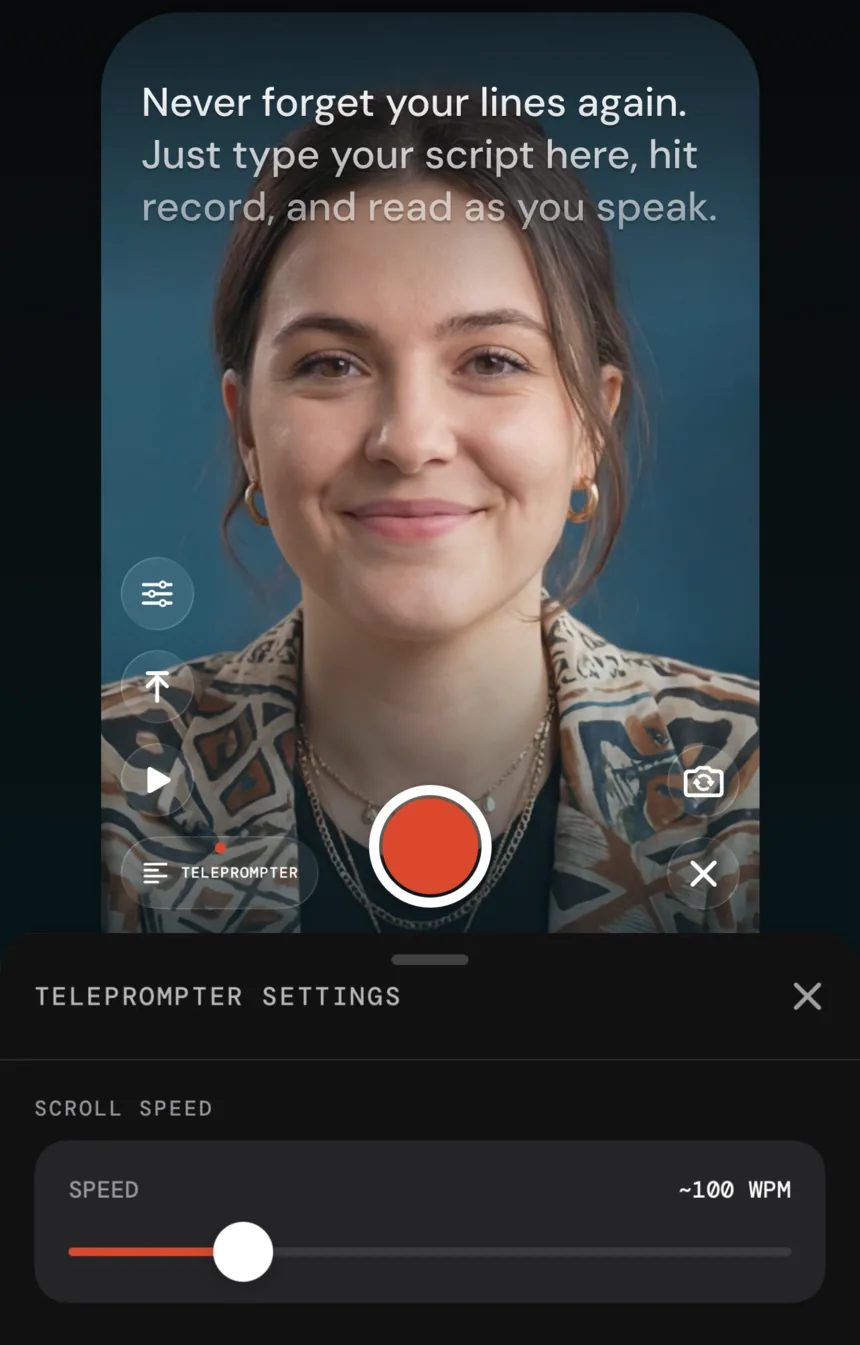
A teleprompter that keeps your eyes on the lens
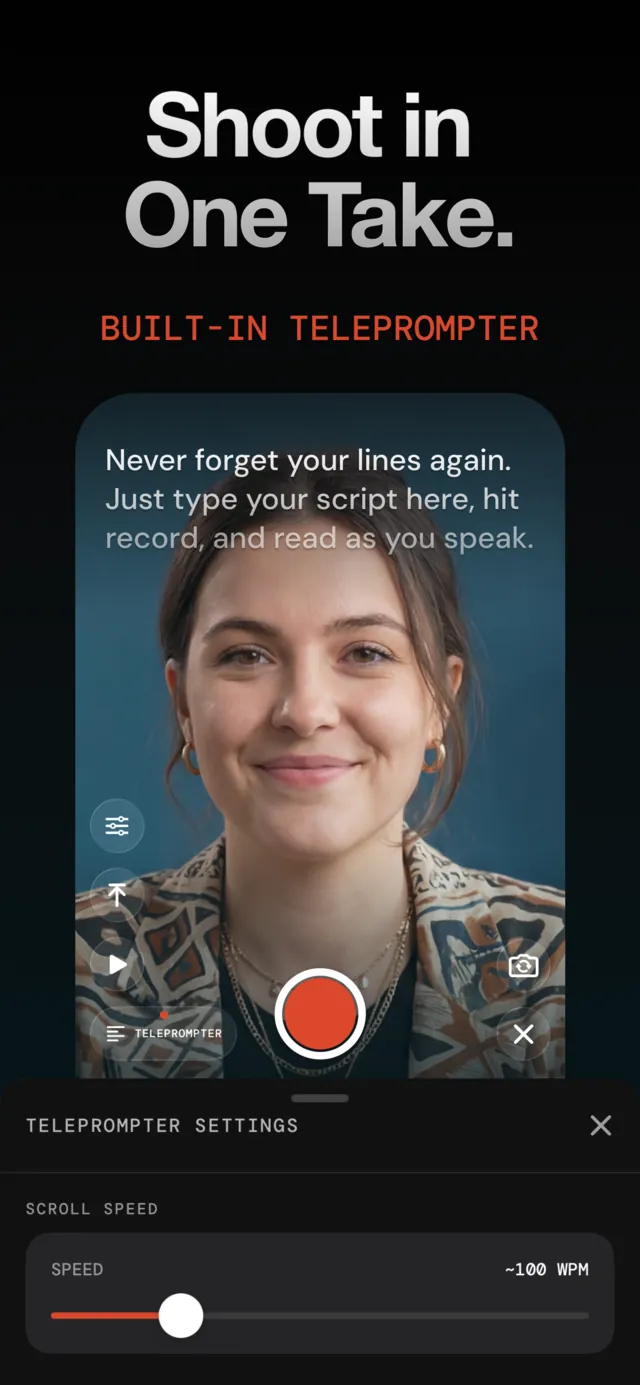
Paste your script, set the scroll speed, and record straight into the project. Stumble and just say the line again — the retake pass cleans it up afterwards, so a take is never ruined.
Captions people actually stop for
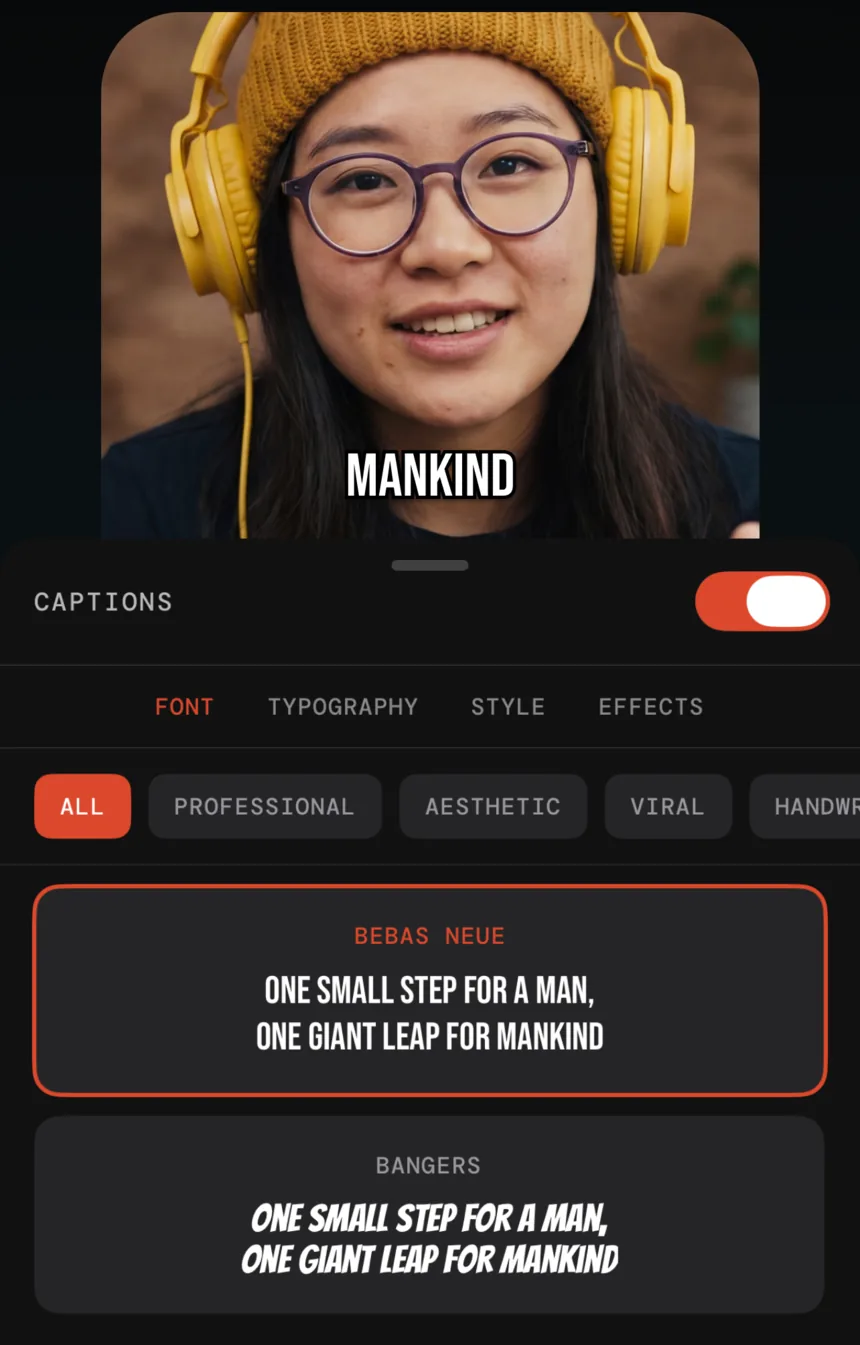
Word-level captions in bold, high-retention presets, adjustable down to font, colour and effect. Auto-zoom hides the jump cuts, and 9:16, 16:9 and 1:1 exports come out of the same project.
From Rambling to Refined
Turn 10+ minutes of raw recording into a 3-minute finished product.
Import
Drag in your raw video file from your camera roll.
Transcribe
AI generates a precise word-by-word transcript in seconds.
Edit
Cut text to cut video. Remove silence and retakes with a tap.
Export
Download your polished clip, ready to share.
Built for people who talk to a camera
Primecut is not a general-purpose editor. It does one job — turning a spoken take into a publishable clip — and it does it on the phone.
Creators
Turn a rambling ten-minute GRWM or vlog into a tight Reel without scrubbing a timeline. Record it in one go, let the retake cut fix the mistakes.
Coaches & educators
Batch-record course modules with the teleprompter, then let the AI pass handle the rough cut so you only fine-tune the parts that matter.
Real-estate & sales
Walk a property, stumble on a detail, say the line again and keep walking. Primecut keeps the last good take and drops the rest.
Podcasters & founders
Cut a talking-head clip down to the quote worth posting by deleting text, then export vertical for Shorts and Reels.
One flat price, hours included
One plan for one person: 25 hours of AI processing per billing period, no credit packs on top. Billed through the App Store and cancelled in iOS Settings.
Free
Try the whole workflow before paying anything.
- 30 minutes of AI processing, one time
- Text-based editing, retake removal, silence & filler cuts
- Teleprompter and AI captions
- Exports up to 1080p
- Primecut watermark on exports
Pro Annual
3-day free trial. The plan almost everyone picks.
- Everything in Free, watermark-free
- 4K export
- 25 hours of AI processing per year
- Teleprompter, AI captions, auto-zoom
- Cancel any time in Settings
Pro Monthly
For a one-off project. No trial.
- Everything in Pro Annual
- 25 hours of AI processing per month
- Watermark-free, 4K export
- Cancel any time in Settings
* Prices are target US App Store prices and are subject to change. The App Store shows the exact price before you subscribe. Other regions may use Apple's equivalent price tier or may differ.
Questions, answered
Primecut is an iPhone app that edits talking-head video by text. It transcribes your footage, then lets you cut the video by cutting words: delete a sentence in the transcript and the matching video disappears. It also removes silences, filler words and repeated takes automatically, adds captions, and exports for TikTok, Reels and YouTube.
Primecut runs on iPhone and requires iOS 18.0 or later. There is no desktop or Android version — the whole edit happens on the phone you shot on.
Every new account gets 30 minutes of AI processing, once. Processing is measured against the length of the video you transcribe, so a 5-minute clip uses about 5 minutes. Free exports are capped at 1080p and carry a small Primecut watermark. Everything else — text editing, retake removal, teleprompter, captions — is available on the free tier.
Pro Annual is $59.99 per year and starts with a 3-day free trial. Pro Monthly is $9.99 per month with no trial. Pro removes the watermark, unlocks 4K export, and includes 25 hours of AI processing per billing period. Prices are target US App Store prices and are subject to change. The App Store shows the exact price before you subscribe. Other regions may use Apple's equivalent price tier or may differ.
Yes. Subscriptions are billed by Apple, so you cancel in iOS Settings → your Apple Account → Subscriptions. You keep Pro until the end of the period you already paid for.
Primecut transcribes with server-grade speech-to-text rather than a lightweight on-device model, so it holds up on fast talkers, accents and slang. You can always fix a word in the transcript; the edit points stay attached to the audio.
Try it on your next take
Free to start: 30 minutes of AI processing, no card. Pro is $59.99 a year with a 3-day trial.
Download freeiPhone · Requires iOS 18.0 or later