A Captions alternative for editing real takes
Captions is a generative studio that also edits. Primecut is an editor that refuses to generate anything. The right answer depends on whether the video is you.
Updated
Captions built its name on subtitles and then expanded outwards: AI avatars, dubbing into other languages, text-to-video, script tools. It is a strong product and, if you want a machine to produce video for you, it is a reasonable place to start.
Primecut assumes the opposite premise. The video is you, in your own room, saying something in your own voice — badly, twice, with a phone propped against a mug. The job is to make that watchable, not to replace it.
| Primecut | Captions | |
|---|---|---|
| Centre of gravity | Cutting a real take down to the good parts. | Generative production — captions, AI avatars, dubbing, text-to-video. |
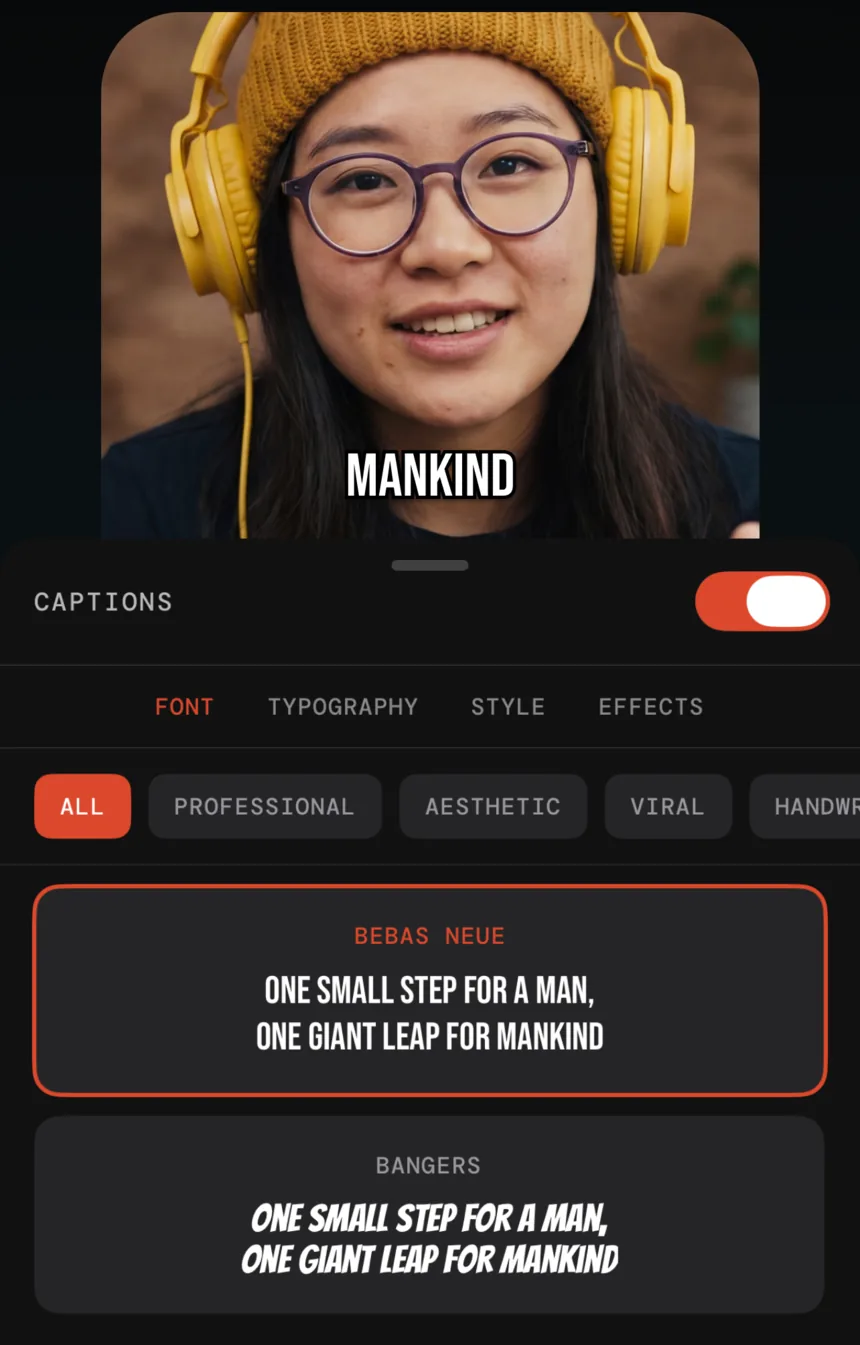
| Captions | Word-level, styled presets, generated from the transcript it already made. | A deep caption toolset — the product's original speciality. |
| Repeated takes | Detected automatically; earlier attempts struck through. | Not the focus. |
| Teleprompter | Built into the recorder. | Available in the recording tools. |
| AI avatars, dubbing, generated video | None. | Extensive. |
| Billing model | Flat: $59.99 per year with 25 hours of AI processing included; no credit packs. | Tiered monthly plans with AI credit allowances. |
| Price | Free tier, then $59.99 per year, or $9.99 per month. | Free tier; paid plans from about $9.99/month up to $69.99/month. |
Credits versus a flat price
The structural difference is the billing model. Generative features cost real money to run, so they come with credit allowances — which means part of your monthly fee is capacity you may not use, and a heavy month can run you out mid-project.
Primecut has one meaningful limit, processing minutes against the length of media you transcribe, and a flat annual price. There are no credits to buy, and re-editing or re-exporting a project you already transcribed costs nothing.
Pick Captions if…
- Caption styling and animation is the main creative decision.
- You want dubbing into other languages.
- You want AI avatars or generated footage.
Pick Primecut if…
- Your footage is one long take with mistakes in the middle.
- The slow part of your week is cutting, not styling.
- You would rather pay once a year than manage a credit balance.
Questions
Which is better for captions specifically?
Captions, on depth. It has more caption styles, more animation control and a longer history in that specific problem. Primecut's captions are good and come free with the edit you were doing anyway, but caption styling is not what the app is about.
Why choose the narrower app?
Because credits and generative features are not free — you pay for them monthly whether or not you use them. If the only thing you actually do is publish clips of yourself talking, a flat $59.99 a year for the cutting workflow is a different kind of purchase.
Does Primecut have AI avatars or dubbing?
No. The AI in Primecut is used to understand what you said and to propose cuts. It does not generate a person, a voice or a script.
Can I use both?
Yes — cut the take in Primecut, export, and take it into Captions for the generative work. Primecut exports standard files at up to 4K on Pro.